



TL;DR
A full-featured Photoshop mobile app is now available on iPhone, with an Android version coming later this year. It offers a more professional editing experience than Photoshop Express.
The free version includes core tools like Spot Healing, layers, and AI-powered Generative Fill, while the premium plan ($7.99/month) unlocks advanced tools like Object Select and Content Aware Fill.
Adobe is focusing on younger users who rely on their phones for creative work, offering a more powerful alternative to built-in mobile editing tools.
With apps like Canva expanding AI tools and Apple acquiring Pixelmator, Adobe faces tough competition. It’s also unclear if Photoshop Express will continue alongside the new app.
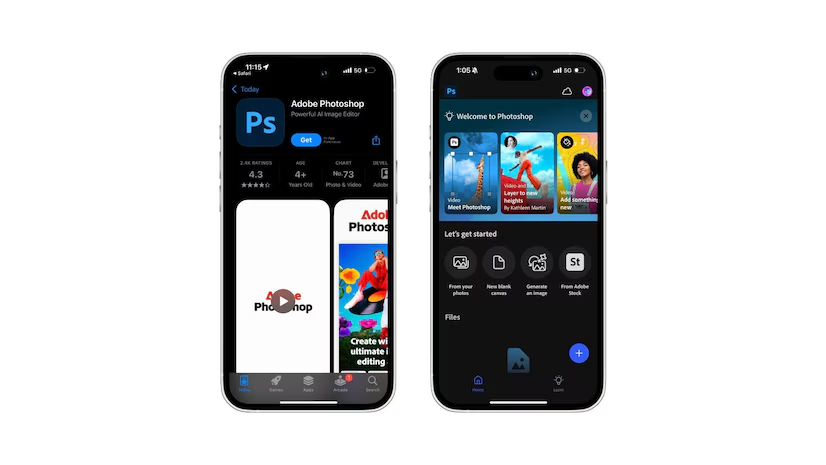
Adobe has launched its Photoshop mobile app, bringing many of the desktop version’s powerful design, editing, and generative AI tools to your phone.
The app is now available globally on iPhone, with an Android version expected later this year. This move marks a significant shift for Adobe, as it aims to make Photoshop more accessible to mobile users while maintaining the professional-grade features creatives rely on.
What’s New in the Photoshop Mobile App?
The new Photoshop mobile app offers a range of tools previously only available on the desktop version. The free version includes features like the Spot Healing Brush, Tap Select, layers, masks, and image compositing.
It also integrates Adobe’s Firefly-powered Generative Fill and Generative Expand AI tools, which let you add or expand elements in your images with just a few taps.
For more advanced features like Object Select, Magic Wand, Content Aware Fill, and the Remove Tool, you’ll need a subscription.
The premium plan costs $7.99 per month or $69.99 annually and includes additional perks like light/dark adjustments, advanced blend modes, and access to Photoshop on the web.
How Does It Compare to Photoshop Express?
Adobe has offered a mobile editing app, Photoshop Express, since 2010. While both apps share some basic tools like resizing, masking, and object removal, the new Photoshop mobile app is designed to feel more like the desktop experience.
Also Read: The new Sigma BF camera a minimalist’s dream
Photoshop Express, on the other hand, is geared toward quick edits and social media graphics. Adobe hasn’t clarified its plans for Photoshop Express, but the new app’s release suggests a shift in focus.
Downloads for Photoshop Express have been declining, and with competitors like Canva and Apple’s Pixelmator adding generative AI tools, Adobe is likely betting on the new app to stay competitive.
Why This Matters for Mobile Creators
Adobe is targeting younger users who rely on their phones for both photography and editing.
Deepa Subramaniam, Adobe’s vice president of product marketing, said, “We spent a lot of time and energy testing directly with our target user base, which is the next-generation creator who does a lot on their phone. It is the way that they express personal creativity, and the application is really built for them.”
Even the free version of the Photoshop mobile app includes tools like layer splitting, masking, and text addition, making it useful for creating podcast covers, playlist art, or YouTube thumbnails.
Facing Stiff Competition
While the new app is a step forward, it’s not without challenges. Mobile operating systems from Apple and Google already offer free photo editing tools that replicate many Photoshop features.
Adobe’s success will depend on how well it can differentiate its app and convince users to pay for premium features.
Additionally, Adobe’s decision to support both Photoshop Express and the new Photoshop mobile app could lead to confusion, especially with Adobe Express also in the mix.
Final Thoughts
The Photoshop mobile app is a significant move for Adobe, bringing professional-grade tools to your phone. Whether you’re a casual editor or a creative professional, the app offers a range of features to enhance your mobile workflow.
However, with increasing competition and the need to balance multiple apps, Adobe will need to clearly communicate its strategy to users.
If you’re curious about the new app, it’s worth downloading the free version to see how it fits into your creative process. For those who need more advanced tools, the premium subscription might be a worthwhile investment.


Leave a Reply