



TL;DR
- According to Microsoft, Windows 11 offers several improvements, including a new Start menu, better multitasking tools, and enhanced security features.
Microsoft will stop supporting Windows 10 on October 14, 2025, ending all updates, including security patches.
Sticking with Windows 10 after support ends puts your system at higher risk of malware and cyberattacks.
Eligible Windows 10 users can upgrade to Windows 11 for free, but older PCs may not meet the system requirements.
Microsoft has a Windows 11 problem. Despite the newer OS being available for years, over half of Windows users still cling to Windows 10.
With Windows 10’s end-of-life deadline looming in October 2025, the pressure is on for Microsoft to convince users to make the switch. But why are so many people resisting?
According to GlobalStats, 54.23% of Windows PCs run Windows 10, while only 42.66% use Windows 11. The gap is narrowing, but Microsoft expected faster adoption.
Windows 10 works well for many users, and the idea of upgrading to a new system—especially one with stricter hardware requirements—feels unnecessary to some.
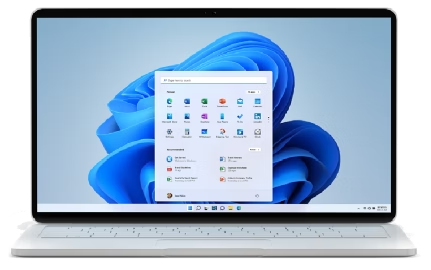
After October 2025, Microsoft will stop releasing security updates for Windows 10. Without patches, your PC becomes vulnerable to new threats.
Also Read: Microsoft testing a free, ad-supported Office for Windows
One major barrier is compatibility. Windows 11 requires a TPM 2.0 chip and newer processors, leaving older PCs behind. If your device doesn’t meet these specs, you’re forced to buy new hardware—a tough sell when Windows 10 still runs fine.
What Microsoft Is Doing (and What It Could Do Better)
Microsoft isn’t just relying on push notifications to nudge users toward Windows 11. The company recently published a blog post titled “7 Tips to Get the Most Out of Windows 11,” outlining key features it believes should convince Windows 10 holdouts to upgrade.
Here’s what they’re highlighting:
- New Start Menu – A centered, streamlined design with recommended files and pinned apps for quicker access.
- Snap Layouts – Easily organize open windows into pre-set layouts for better multitasking.
- Multiple Desktops – Create separate desktops for work, gaming, or personal use to reduce clutter.
- Widget Board – A customizable panel for news, weather, calendar events, and other at-a-glance info.
- Focus Sessions – Built-in tools to minimize distractions, including Do Not Disturb and timer integrations.
- Windows Hello – Faster, more secure biometric logins using facial recognition or fingerprint scanning.
- Improved Dark Mode – A system-wide dark theme that’s more consistent and easier on the eyes.
According to Microsoft, Windows 11 isn’t just a security upgrade; it’s a productivity boost. But for many users, especially those with older hardware, these perks may not outweigh the hassle of switching.
The company could do more, like offering extended support for Windows 10 or hardware trade-in programs, to ease the transition. Until then, the adoption gap may keep shrinking at a slower pace than Microsoft wants.


Leave a Reply